Construction Drawing Management Software and Why It Matters
- Drawings are the foundation of every construction project. Every decision on site traces back to them. Every subcontractor works for them. Every inspection references them.
- When drawing management works well nobody thinks about it. The right version is always available. Everyone is working from the same information. Changes get communicated before they cause problems rather than after.
- When it does not work well the consequences show up in expensive and entirely avoidable ways. Work completed on a drawing that was superseded two weeks ago. A subcontractor quoting against a specification that has since changed. An inspection failed because the build does not match the current approved drawing.
- Construction drawing management software is what prevents those situations from happening consistently enough to affect project outcomes and client relationships.
The Problem With How Most Teams Handle Drawings
- Most construction teams manage drawings the way they manage everything else before proper systems are in place. Email attachments. Shared folders. Printed sets distributed at the start of the project.
- These approaches have a ceiling. They work adequately when a project is small and the drawing set is stable. They start creating problems when revisions come in and there is no reliable way to ensure everyone has the current version.
- An email goes to most of the relevant parties but misses one subcontractor who was added to the project after the original distribution. A printed set gets used on site because it is faster than logging into a shared folder on a phone with poor connectivity. A folder contains multiple versions of the same drawing with filenames that do not clearly indicate which is current.
- None of these situations are caused by carelessness. They are caused by systems that were not designed for the revision management demands of an active construction project.
What Drawing Management Software Actually Does
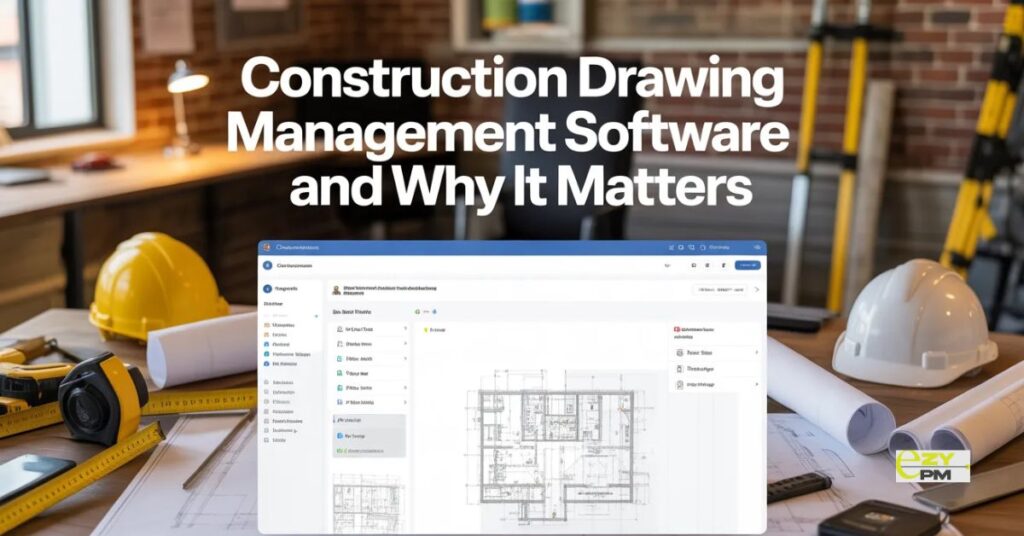
- The core function is straightforward. One place where all project drawings live. Version controlled. Access appropriate to each party’s role. Always current for everyone with access regardless of where they are.
- A revision gets issued. It replaces the previous version in the system. Everyone who accesses that drawing from that point gets the current revision automatically. There is no distribution list to manage. No printed sets to collect and replace. No uncertainty about whether the drawing someone is working from reflects the latest design intent.
- Construction drawing management software also maintains a complete record. Every version. Every revision. Who accessed what and when. That record has value beyond the immediate project. It is the documentation trail that matters when questions arise about what was built and when a particular decision was made.
The Field Team Reality
- Drawing management that works well in an office environment but poorly on a construction site is only partially useful.
- Site teams need to access current drawings quickly. On a phone. In conditions that are not office conditions. Without reliable internet connectivity in many cases.
- A system that requires a laptop and a strong signal to access drawings will not be used consistently on site. The printed set that was distributed at project start will continue to be the reference even as it falls behind the current revision state.
- Construction drawing management software built for field use addresses this directly. Mobile first interfaces that work on a phone in practical site conditions. Offline access that allows drawings to be viewed without a signal. Automatic sync when connectivity returns so the field team is always looking at current information when it is available.
Managing Revisions Without the Chaos
- Revisions are where drawing management either holds together or falls apart.
- A typical construction project goes through multiple rounds of design development. Each one produces updated drawings that need to reach everyone working from the previous version before they carry out work based on outdated information.
- Managing that manually is a communication challenge that scales with the size of the project and the number of parties involved. A small project with a stable design and a handful of subcontractors is manageable. A large project with frequent design development and dozens of parties is not.
- Good drawing management software handles revision notification automatically. A new revision gets issued. The system identifies who has accessed the previous version and notifies them that an update is available. The previous version is archived rather than deleted so the history is maintained while the current version is clearly identified.
- That automation removes the manual distribution overhead and the human error that comes with it. The project manager does not need to maintain a distribution list and check it every time a revision is issued. The system handles it.
Access Control Matters
- Not everyone involved in a project needs access to every drawing. A subcontractor working on one trade does not need the full drawing set. A client representative needs visibility without the ability to download and distribute files independently.
- Construction drawing management software that handles access control properly gives each party exactly what they need without exposing information they should not have. Subcontractors see their relevant drawings. The design team sees the full set. The project manager controls who has access to what without that control creating a bottleneck every time someone needs something.
- That granularity protects sensitive information. It also reduces confusion. A subcontractor who can only see the drawings relevant to their work is less likely to reference something that does not apply to them and create problems as a result.
Integration With the Broader Project
- Drawing management that sits in isolation from the rest of project management creates its own overhead.
- A drawing revision that is not connected to the project schedule does not automatically flag whether it affects tasks that are currently in progress or planned. A variation that changes the drawing set is not automatically linked to the cost management process where its financial implications need to be assessed.
- Construction management software that integrates drawing management with scheduling, budget tracking and team coordination reduces the manual work of maintaining those connections. A change in the drawing set surfaces its implications across the project rather than sitting in one system while everything connected to it stays unchanged in another.
Managing Projects Better With Construction Drawing Management Software
- The construction projects that run without the costly errors caused by drawing version confusion are not the ones where teams are more careful. They are the ones where the system makes working from the wrong drawing genuinely difficult rather than the path of least resistance.
- Construction drawing management software makes current drawings the easiest thing to access and outdated ones clearly inaccessible. That structural change in how information is managed prevents the errors that disciplined manual processes only reduce rather than eliminate.
- EZY PMP is a platform that brings drawing management into the broader context of construction project management. Connecting document control with scheduling, team coordination and budget tracking so changes in the drawing set are visible across the project rather than isolated in a separate system.
Questions Worth Asking
How do we handle subcontractors who are not comfortable using digital drawing management systems?
- Choose a platform with a genuinely simple interface for external parties. Viewing a drawing and confirming receipt should take seconds not require training. Simple experiences get used consistently. Complicated ones get avoided.
What happens to drawing history when a project is complete?
- Good platforms maintain the full revision history indefinitely. That archive has value beyond the project itself. It is the documentation that matters when questions arise months or years later about what was built and what information was available at the time.
How do we manage drawings across multiple concurrent projects without them getting confused?
- Project level separation with clear naming and access control keeps drawing sets distinct. A platform that handles multiple projects from a single interface gives the project manager oversight without the drawing sets for different projects bleeding into each other.