Project Management Software Tool That Construction Teams Actually Use
- Construction teams have tried more project management tools than most industries. A new platform gets adopted with genuine enthusiasm. The project manager sets it up carefully. The team gets shown how it works. Everyone agrees to use it properly this time.
- Six weeks later the tool is being updated by one person and ignored by everyone else. The coordination problems it was supposed to solve are still there. The business has added another subscription to the overhead without solving anything.
- That pattern is familiar enough in construction that many project managers have become genuinely sceptical about whether any project management software tool will deliver what it promises. That scepticism is understandable. It is also worth examining carefully because the problem is usually not that project management software does not work. It is that the wrong tool got chosen for the wrong reasons and implemented without enough thought about what would make it stick.
Why Construction Teams Abandon Tools
- The reasons construction teams stop using project management tools follow consistent patterns.
- The tool was not built for construction. Generic project management software handles tasks and deadlines adequately. It does not understand trade sequencing. It does not connect material deliveries to the schedule. It does not handle the kind of dependency mapping that construction projects require. The team adopts it and quickly discovers that it does not reflect how construction actually works. Workarounds accumulate. The tool becomes more trouble than the problem it was supposed to solve.
- The mobile experience was inadequate. Construction work happens on site, not at desks. A tool that works well on a laptop but poorly on a phone will not be used by site supervisors and subcontractors regardless of how capable it is in other respects. The field team reverts to phone calls and messages. The tool becomes something only the project manager uses and therefore stops being a coordination tool.
- The setup was too complex. Tools that require weeks of configuration before they deliver value rarely get properly implemented in a construction business where everyone is already stretched. The implementation gets rushed. Half the features never get properly set up. The tool delivers a fraction of its potential and the team concludes it does not work.
- Too many features that nobody uses. A project management software tool with a hundred features that the team needs five of is not better than a tool with those five features done properly. Complexity that sits unused creates confusion and makes the tool feel harder to navigate than it needs to be.
What Construction Projects Actually Need From a Tool
- Stripping back to what construction project management genuinely requires points toward what to look for rather than what platforms say they offer.
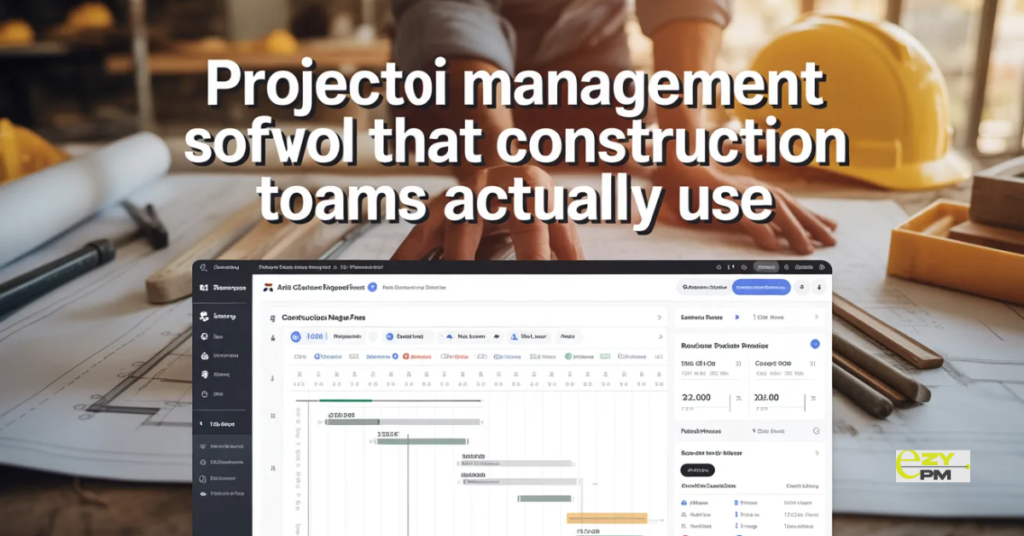
- A clear project timeline that everyone can see and that stays current as things change. Not a static Gantt chart that becomes outdated within the first week but a living schedule that reflects what is actually happening rather than what was originally planned.
- Task ownership that is unambiguous. Who is responsible for what? When it is due. Whether it is done. Without this basic clarity the coordination problems that project management software is supposed to solve do not go away. They just continue happening with a platform subscription added to the cost.
- Dependency visibility. Which tasks cannot start until others are complete. Where delays in one area affect everything connected to it. Construction projects have more interdependencies than most types of work and making those dependencies visible before they create problems is one of the most valuable things a project management tool can do.
- Budget tracking that keeps pace with what is actually happening. Not a monthly summary of what has been spent but a current view of how costs are tracking against the estimate as variations are instructed and additional costs are incurred.
- Document access for the people who need it. Drawings and specifications accessible to site teams without requiring a call to the office to find out if there has been a revision.
- Mobile access that actually works. Not a mobile adapted version of a desktop interface but something designed for use on a phone in real site conditions.
The Subcontractor Problem
- Most project management software tool evaluations focus on what the tool does for the principal contractor. The subcontractor experience gets less attention despite being critical to whether the coordination benefits actually materialise.
- A tool that the project manager uses but subcontractors do not engage with is not delivering the coordination benefit it promises. The subcontractor is still getting their schedule via phone call or email. Updates are still travelling through the project manager rather than through the system. The coordination overhead that the software was supposed to reduce has not actually reduced.
- Getting subcontractors to engage requires the right tool choice. The interface subcontractors interact with needs to be simple enough that using it is less effort than the phone call or message that was the previous approach. Viewing their schedule. Checking for drawing updates. Logging their progress. These need to take seconds rather than requiring navigation through a platform they use on one project out of the many they are working on simultaneously.
- When the subcontractor experience is genuinely simple, engagement follows naturally. The coordination benefits that were promised during the sales process actually materialise because everyone who needs to be in the system is in the system.
Getting Implementation Right
- The implementation approach determines outcomes more than the tool choice in many cases. A good tool implemented poorly delivers poor results. A reasonable tool implemented thoughtfully delivers genuine value.
- Starting with one project rather than rolling out across the whole portfolio immediately gives the team time to build familiarity without the pressure of business critical projects depending on a system nobody has properly learned yet.
- Involving the site team in setup rather than presenting them with a configured system to use. Site supervisors who have had input into how the tool is set up have a reason to make it work. Those who had it imposed on them have less motivation to engage with it properly.
- Committing fully rather than running the tool alongside existing systems as a backup. Half adoption produces half results. When the team can fall back on the old way of doing things the incentive to learn the new system properly disappears.
- Keeping the initial setup simple. The full capability of any platform can be explored over time. Starting with the core functions that solve the most pressing problems and adding complexity only when the basics are running well produces better adoption than trying to configure everything at once.
When to Switch Tools
- Some construction teams are using a tool that was right when they adopted it but no longer fits how the business operates. Knowing when the tool is the problem rather than the implementation matters.
- The tool was chosen for a smaller operation and does not handle the volume and complexity of what the business is now doing. User limits that create problems as the team grows. Functionality gaps that did not matter before but matter now. A mobile experience that was acceptable when site visits were occasional but is inadequate now that the field team needs to use it daily.
- Switching tools mid project is disruptive and should be avoided where possible. But staying with a tool that is actively limiting how the business can operate because switching feels complicated is also a cost. Making the assessment honestly and planning a transition carefully is better than waiting until the limitations are causing serious operational problems.
Getting Real Value From a Project Management Software Tool
- Construction businesses that find a project management software tool that actually sticks tend to approach the decision differently from those that cycle through platforms without finding one that works.
- They start with the specific problems rather than the features. They trial on real projects with genuine complexity. They involve the people who will actually use it rather than just the person making the decision. They commit properly rather than hedging with parallel systems.
- And they choose a tool built for construction rather than adapted from a generic platform and marketed as suitable for construction work.
- EZY PMP is a platform built specifically for construction project management. Designed around the dependencies, document management, budget tracking and team coordination challenges that construction projects actually present. Built to work for site teams and subcontractors as well as project managers rather than being a tool only the office can use properly.
Questions Worth Asking
How do we know if a tool is genuinely built for construction rather than adapted from a generic platform?
- Ask specifically how it handles trade sequencing and construction dependencies. Ask about the mobile experience on an active site. Ask how subcontractor access works. Generic platforms adapted for construction give generic answers. Purpose built construction tools answer these questions specifically.
What is the realistic timeline from adoption to the team using it consistently?
- With the right tool and proper implementation most teams are running real projects through it within two weeks. If it takes significantly longer than that the tool is too complex or the implementation approach needs adjusting.
How do we handle the transition if we are currently mid project on existing tools?
- Start new projects on the new system. Complete current projects through the existing tool where possible. A clean start on new projects avoids the disruption of migrating active projects while giving the team time to build confidence before the new system is carrying everything.