
Free Online Engineering Drawing Software Worth Knowing for Construction Teams
- Paid CAD software has always been expensive. AutoCAD licences. Revit subscriptions. The cost of professional drawing tools has historically meant that smaller construction businesses either stretched their budgets or made do without proper drawing capability. The person who needed to sketch a detail or produce a simple site plan either paid for software they used occasionally or used whatever was available and hoped for the best.
- That situation has changed meaningfully. Free online engineering drawing software in 2026 is genuinely more capable than the free options that existed five years ago. Not a replacement for professional CAD in every situation but capable enough that construction businesses exploring drawing tools for the first time or needing specific capabilities for occasional use can get real value without a licence cost.
- Understanding which free options are worth the time to learn and which are free in name but limited in practice is what makes the difference between finding a useful tool and spending hours on something that cannot do what you need.
What Free Actually Means in This Context
- Before getting into specific platforms it is worth being clear about what free means in the engineering drawing software market because it varies more than the word suggests.
- Genuinely free with a meaningful feature set. Some platforms offer real capability at no cost. The free tier is not a crippled version designed to frustrate users into upgrading. It is a functional tool that covers real use cases. These are the platforms worth investing learning time in.
- Freemium where the free tier is deliberately limited. The platform works but the features you actually need are locked behind a subscription. Free tier access lets you see the interface and do basic things but hits walls when real work is attempted. These are effectively trials with an infinite time limit rather than genuinely free tools.
- Free for personal or non-commercial use only. Professional construction work using these tools may not be permitted under the licence terms. Worth checking before using on paid projects.
- Free to download but costly to use properly. Open source tools that require significant technical setup, configuration and ongoing maintenance. The software is free. The time required to make it work properly is not.
- Knowing which category a specific tool falls into before investing time in learning prevents the frustration of discovering the limitation after the learning has already happened.
AutoCAD Web
- AutoCAD is the most recognised name in engineering drawing software and the web version makes browser-based access to the AutoCAD environment possible without the full desktop installation.
- The free tier of AutoCAD Web provides genuine 2D drafting capability. Drawing creation. Basic editing. DWG file compatibility that allows files to be opened, edited and shared in the format the construction industry works in. For construction professionals who occasionally need to work with CAD files without a full AutoCAD desktop licence the web version provides meaningful access.
- The limitations of the free tier are real. The feature set is narrower than the desktop application. Some tools and capabilities available in desktop AutoCAD are not present in the web version. For occasional use and for working with existing CAD files the free tier covers a useful range of tasks. For intensive professional drawing production the limitations become apparent quickly.
- The most practically significant advantage of AutoCAD Web for construction teams is the DWG compatibility. The ability to open, view and edit DWG files that the design team has issued in a format that maintains fidelity is more useful on a construction project than a drawing tool that requires converting files to a different format and back.
- Best suited for construction professionals who need to view and occasionally edit DWG format drawings without a full AutoCAD licence and for teams already embedded in the Autodesk ecosystem where the web application fits naturally alongside other Autodesk tools they use.
SketchUp Free
- SketchUp has established itself as the most accessible 3D drawing tool for construction professionals who are not dedicated design specialists. The free browser-based version delivers meaningful capability without installation or licence cost.
- The learning curve for SketchUp is genuinely lower than for professional BIM tools. A construction professional who has not used 3D software before can become productive in SketchUp in a fraction of the time that Revit or ArchiCAD would require. That accessibility is the platform’s most significant characteristic rather than any specific technical feature.
- For construction teams the free version of SketchUp supports design exploration, client visualisation and communication of spatial concepts in three dimensions. Massing studies that help clients understand what a building will look like. Site arrangement sketches that communicate layout intent. Detail exploration that helps the team understand how a junction will work in three dimensions before committing it to formal drawings.
- The information richness of SketchUp models in the free version is limited compared to professional BIM tools. Elements are geometric rather than data-bearing in the way that Revit elements are. Quantity extraction, clash detection and the information-driven construction applications that BIM enables require either the paid SketchUp tiers with appropriate extensions or a different platform.
- Best suited for construction businesses at the start of their 3D drawing journey, for client communication on projects where visualisation matters and for design exploration where communicating spatial intent is the goal rather than producing formal construction documentation.
LibreCAD
- LibreCAD is an open source 2D CAD application that is genuinely free for commercial use without licence restrictions. For construction businesses whose primary drawing need is 2D plan and detail production rather than 3D modeling LibreCAD provides real capability at zero cost.
- The 2D drafting tools cover the standard CAD operations. Line drawing. Arc and circle tools. Dimensioning. Layer management. Hatch patterns. Text and annotation. The interface is familiar to anyone who has used traditional CAD software. The DXF format compatibility allows file exchange with other CAD tools even if the native format differs from DWG.
- The limitations worth knowing include the DWG compatibility which is less complete than tools built around the Autodesk format natively. Complex DWG files from professional CAD tools may not translate perfectly into LibreCAD. For construction businesses producing their own drawings rather than primarily working with files from others this limitation matters less.
- The open source nature means there is no commercial support structure. When something does not work the resolution comes from community forums, documentation and the user’s own technical capability. For businesses with some technical appetite this is manageable. For those who need reliable support when problems arise the open source support model is a genuine limitation.
- Best suited for construction businesses that need 2D drafting capability for their own drawing production, who are comfortable with an open source support model and who want to avoid recurring licence costs for a tool used regularly.
FreeCAD
- FreeCAD is an open source parametric 3D modeling application that brings a more sophisticated technical approach to free engineering drawing software than most alternatives in this category.
- The parametric modeling approach means that models are built from defined parameters that can be changed and the model updates accordingly. This is how professional engineering CAD software tends to work and FreeCAD brings that approach to a free platform. For construction businesses with engineering and structural modeling requirements rather than primarily architectural ones FreeCAD’s technical approach is more directly applicable than architecturally oriented tools.
- The architecture workbench in FreeCAD provides building specific tools that make it more applicable to construction drawing than a generic engineering CAD tool. Walls. Windows. Doors. Structural elements. These construction-specific modeling capabilities within a parametric framework provide genuine functionality for construction drawing work.
- The learning curve is steep. FreeCAD is not a tool that produces results quickly for a new user. The parametric approach requires understanding how the modeling methodology works before productive output is achievable. For construction businesses willing to invest the learning time the capability delivered at zero licence cost is substantial. For those who need results quickly the investment required is a significant barrier.
- Best suited for construction businesses with engineering and structural modeling requirements, technical team members comfortable with a more demanding learning curve and a genuine need for parametric modeling capability without recurring licence costs.
Onshape Free Tier
- Onshape is a fully cloud-native CAD platform with a free tier that provides real 3D CAD capability for public documents. The professional grade parametric modeling tools in Onshape are genuinely sophisticated and the collaborative features that allow multiple users to work on the same model simultaneously are well ahead of most desktop CAD alternatives.
- The significant limitation of the free tier is that all documents are public. For professional construction work where drawings contain commercially sensitive design information or client details this public visibility is a meaningful constraint. The free tier of Onshape is appropriate for learning the platform, for projects where public visibility is acceptable and for non-commercial work rather than for professional construction projects where document confidentiality is required.
- For construction businesses evaluating 3D CAD capability before committing to a paid subscription the free tier provides a genuine assessment opportunity. The platform itself is professionally capable. The question is whether the free tier’s constraints match the actual use case.
- Best suited for learning and evaluation purposes, for public projects where document visibility is not a concern and for construction businesses assessing whether Onshape’s collaborative approach suits their workflow before committing to a paid subscription.
Diagrams.net for Construction Diagramming
- Diagrams.net sits at the simpler end of the engineering drawing spectrum but it is worth including because it covers a specific construction use case that dedicated CAD tools sometimes overcomplicate.
- Site layout diagrams. Logistics plans. Simple schematic drawings of systems and processes. Organisation charts for project teams. These are the drawings that construction professionals need to produce quickly and share easily without the overhead of opening a full CAD application. Diagrams.net produces these quickly in a browser without installation and with easy sharing and export.
- It is not a substitute for CAD on any drawing task that requires dimensional accuracy or professional construction drawing standards. But for the communication drawings that exist alongside the formal drawing set rather than within it, diagrams.net is a genuinely useful free tool that construction teams use regularly once they discover it.
How Free Drawing Tools Connect to Construction Project Management
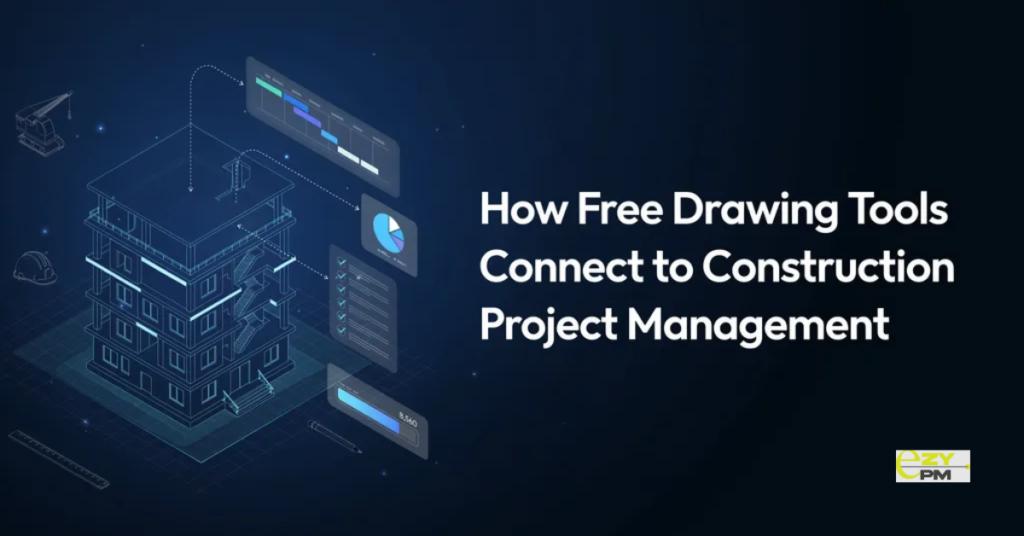
- The drawings produced by free online engineering drawing software need to be managed somewhere once they exist. This is where the connection to construction project management becomes relevant.
- A drawing produced in SketchUp Free or LibreCAD that gets emailed around as an attachment goes into the same version confusion and distribution tracking problems as any other drawing managed through email. A drawing managed through a proper drawing management system that enforces version control and tracks who has received what revision is a different situation regardless of what tool produced it.
- The value of free drawing tools is in the production. The value of proper drawing management is in what happens to those drawings after they are produced. These two things work together rather than one substituting for the other.
- EZY PMP handles the management side of this equation for construction businesses. Whether drawings are produced in professional CAD tools or in free alternatives the management of those drawings across the project team requires version control, transmittal management and field access that the drawing production tool does not provide. Connecting the drawings that construction teams produce to the project management environment that keeps them current and accessible to everyone who needs them.
Questions Worth Asking
How do we choose between free options when several seem to cover our basic drawing needs?
- Start with the file format question. If you need to exchange drawings with design teams using professional CAD tools DWG compatibility matters significantly. Then consider the use case. 2D drafting or 3D modeling. Architectural design or engineering detail. Occasional use or regular production. These questions narrow the field more effectively than feature list comparisons.
Can free online drawing software produce drawings suitable for submission to building control or planning?
- It depends on the specific drawing requirements and the jurisdiction. Some free tools can produce drawings that meet submission standards for simpler projects. Others cannot reach the professional presentation standards that formal submissions require. Check the specific requirements for your submission before relying on a free tool for regulatory drawings.
How do we manage drawings produced in free tools alongside professionally produced drawings on the same project?
- Manage them through the same drawing management system regardless of what produced them. The version control and distribution tracking requirements are the same for all drawings on a project. A drawing management system that accepts drawings in standard formats handles both sources without needing to treat them differently based on what tool produced them.
